
Configuring Deal Splits & Collaboration
Complex enterprise sales often involve multi-person pursuit teams—including Account Executives, Sales Engineers, and Business Development Reps. Deal splits allow your organization to divide revenue credit and quota achievement fairly among contributors.
Before You Begin (Prerequisites)#
- A role with Edit access to the specific deal.
- The deal must have a non-zero Deal Value.
Step 1: Open the Deal Record#
- In the sidebar, navigate to Deals.
- Click on the deal name to open its profile view.
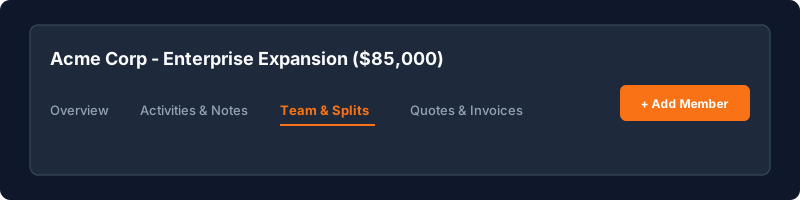
- Switch to the Team & Splits tab located below the deal header.
Step 2: Add Team Members to the Deal#
- Click + Add Team Member.
- Select the colleague from the user dropdown.
- Choose their collaborative role:
- Primary Account Executive (Lead closer)
- Solutions Consultant / Sales Engineer (Technical architect)
- BDR / Lead Generator (Origination credit)
- Regional Manager (Executive sponsor)
Step 3: Allocate Percentage Splits#
- Toggle the Enable Deal Split switch.
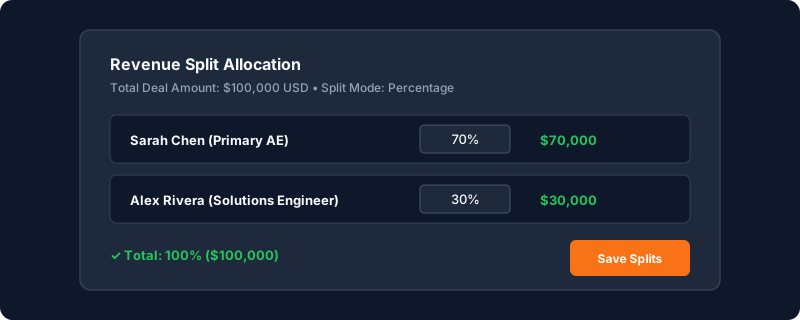
- Enter the allocation percentage for each member (e.g., 70% to Account Executive, 30% to Solutions Consultant).
- Verify that the Total Split Percentage equals exactly 100%.
- The system automatically computes each member's split value:
| Team Member | Role | Split % | Allocated Credit |
|---|---|---|---|
| Sarah Chen | Lead AE | 70% | $70,000 |
| Alex Rivera | Sales Engineer | 30% | $30,000 |
| Total | — | 100% | $100,000 |
- Click Save Split Allocations.
[!WARNING] Total split allocations cannot exceed or fall below 100%. The save button will remain disabled until the allocations sum to exactly 100%.
Step 4: Reviewing Quota Impact in Analytics#
Once saved, revenue reports and sales leaderboards under Analytics & Reports credit each individual's quota attainment based on their allocated split value rather than the raw contract total.
Have a question about Configuring Deal Splits & Collaboration?
Ask Loop AI for step-by-step guidance, permission requirements, or troubleshooting tips directly within the docs.
